

In the first session, you and your coach will work to articulate your strengths and areas to develop. From this discussion, you and your manager will align on your two highest-value growth areas (Leadership Growth Areas / LGA's) during your second session. Please publish your Leadership Growth Areas once they have been finalized.
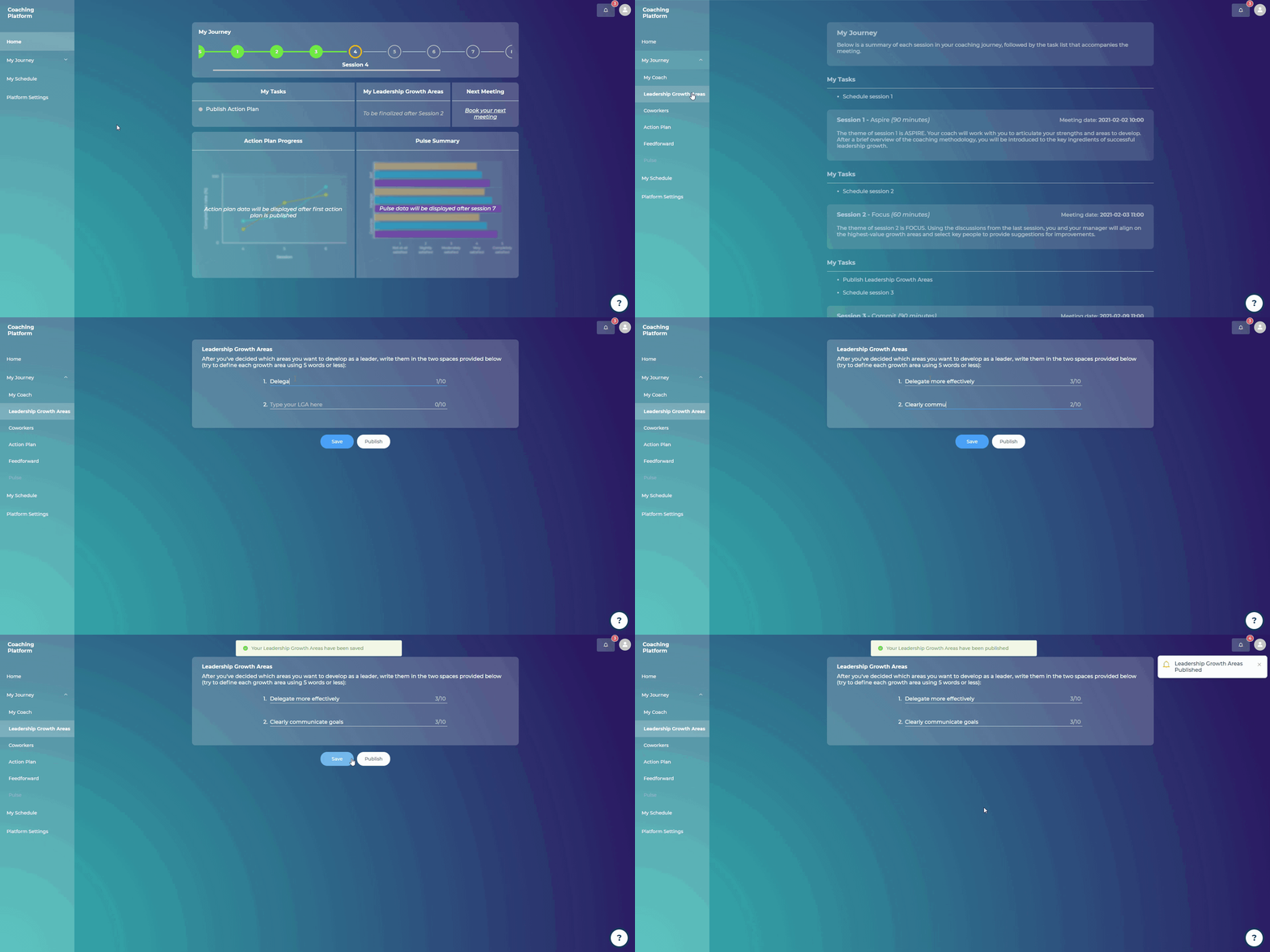
Steps:
Go to “My Journey”
Click on “Leadership Growth Areas”
Fill out the two spaces provided with the two areas you want to develop as a leader (try to define each growth area using 5 words or less)
Click on “Publish”
You will be asked to confirm that your two Leadership Growth Areas have been agreed with your Manager
Click “Yes”
Your two Leadership Growth Areas will be visible on the “Home” page, under the “Leadership Growth Areas” section.
Your coach will receive an email notifying them that you have published your two LGA's.