

In the case you need to cancel or reschedule a session, please do so at least 48 hours in advance, so that the coach can get notified ahead of time and update their calendar accordingly.
Steps:
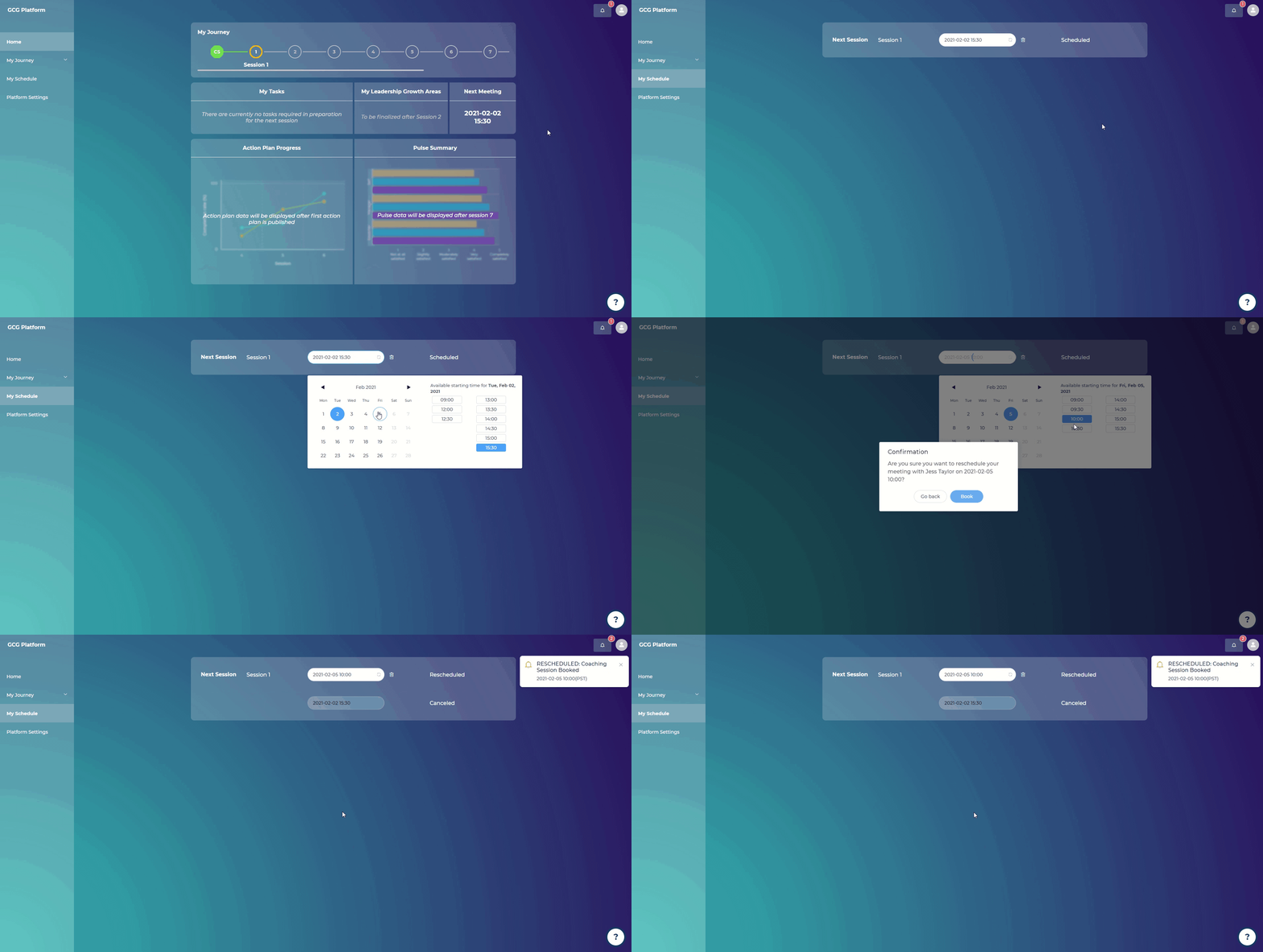
If you want to reschedule a coaching session:
Go to “My Schedule”
Click on the date of your next scheduled meeting
Select a new date and time based on the coach’s availability
Click “Book”
You will receive a confirmation email that the session has been successfully rescheduled. Your coach will also receive an email notifying them that the session has been rescheduled.
If you want to cancel a coaching session:
Go to “My Coach”
Click on the trash bin icon
Click “Yes”
You will receive a confirmation email that the session has been successfully canceled. Your coach will also receive an email notifying them that the session has been canceled.