

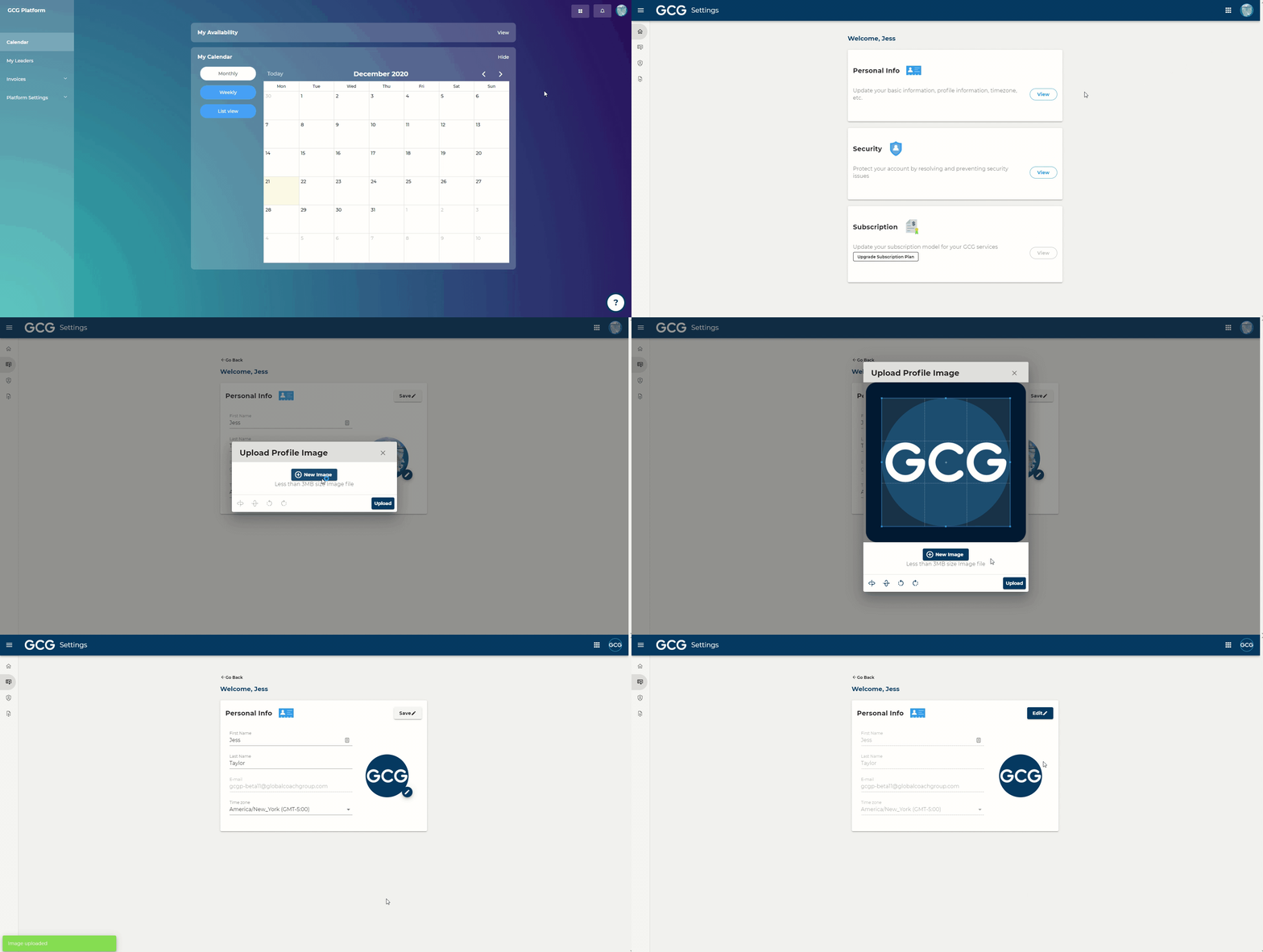
Steps:
In the top right of your screen, click on your profile icon
Click "Manage my account"
Click "View" in Personal Info
Click “Edit”
Click on the pencil icon that appears next to your profile picture
Select a photo from your computer
Click “Upload”